
ASN (Autonomous System Number) blocking in cPFence allows you to block all IP ranges belonging to a specific network provider or hosting company. This feature is especially effective for stopping large-scale attacks originating from specific networks.
Manage ASN Blocks from the WebUI
From the WebUI, go to:
- Tools & Utilities → IP Tools
- Use the following options under the IP Tools section:
Blacklist ASN
Remove Blacklisted ASN
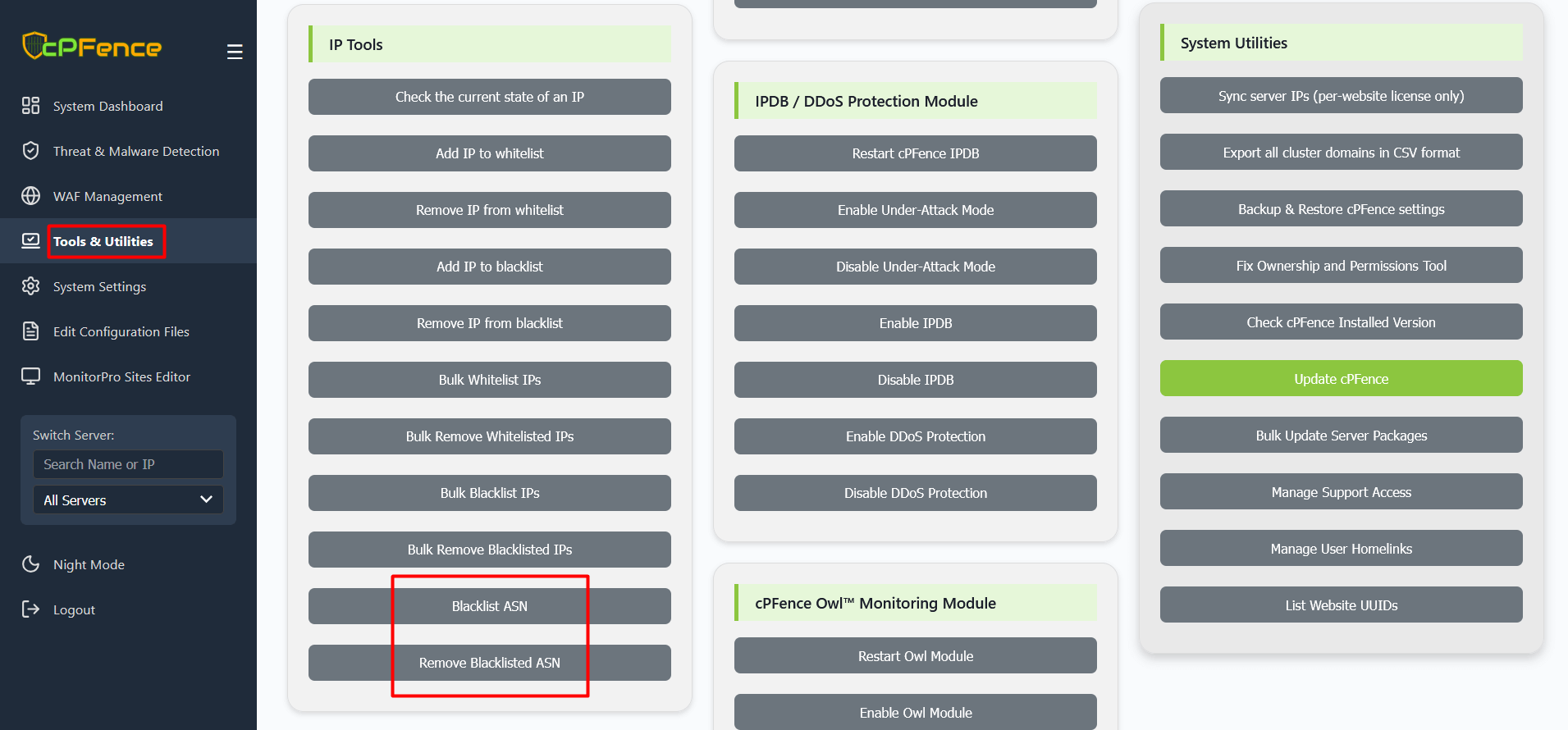
These tools allow you to block or remove ASN-based bans directly from your browser.
1) Add ASN to Blacklist
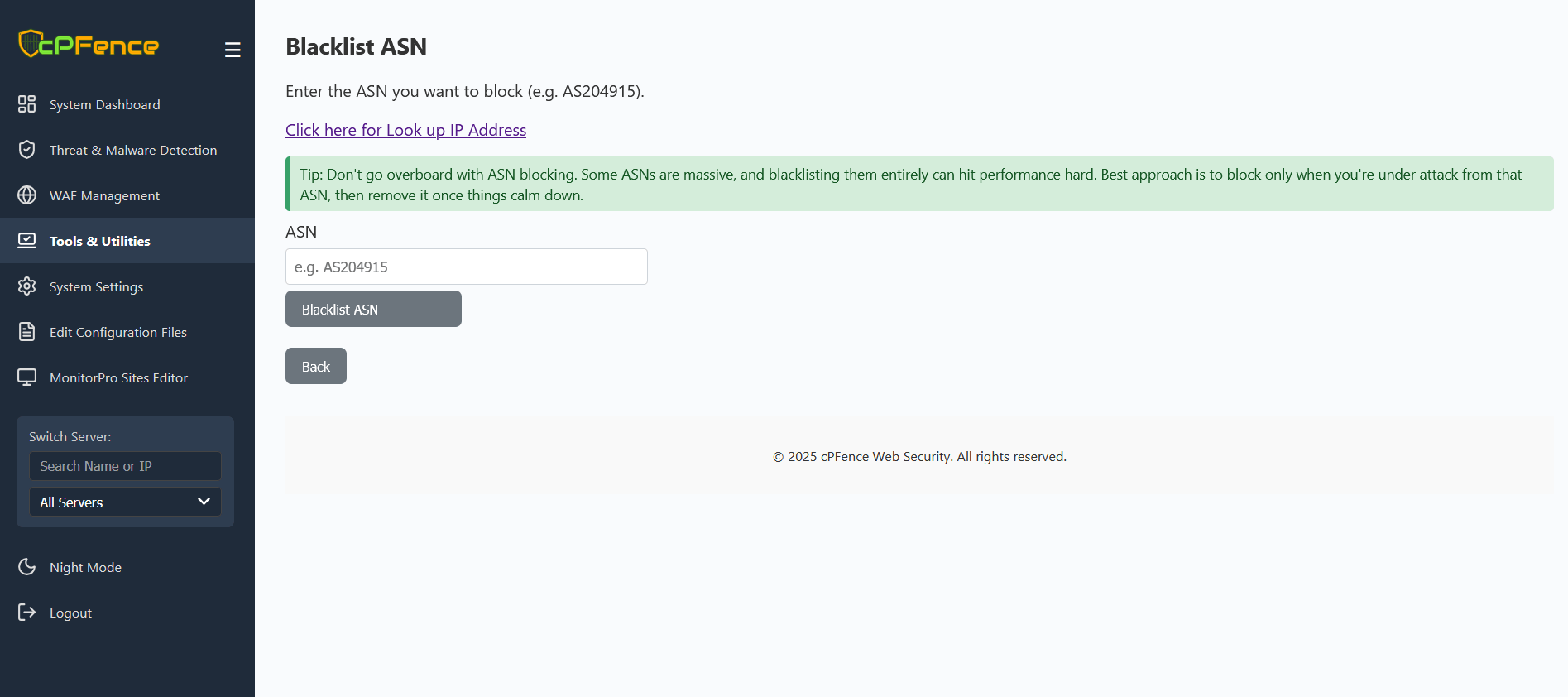
Navigate to Tools & Utilities → Blacklist ASN. Enter the ASN you want to block (for example, AS204915) and click Blacklist ASN.
You can look up the ASN for any IP address using an online WHOIS lookup tool or by selecting “Look up IP Address” in the WebUI.
Tip: Avoid overusing ASN blocks. Some ASNs cover large networks and may impact performance. Only block during active attacks and remove later when no longer needed.
2) Remove ASN from Blacklist
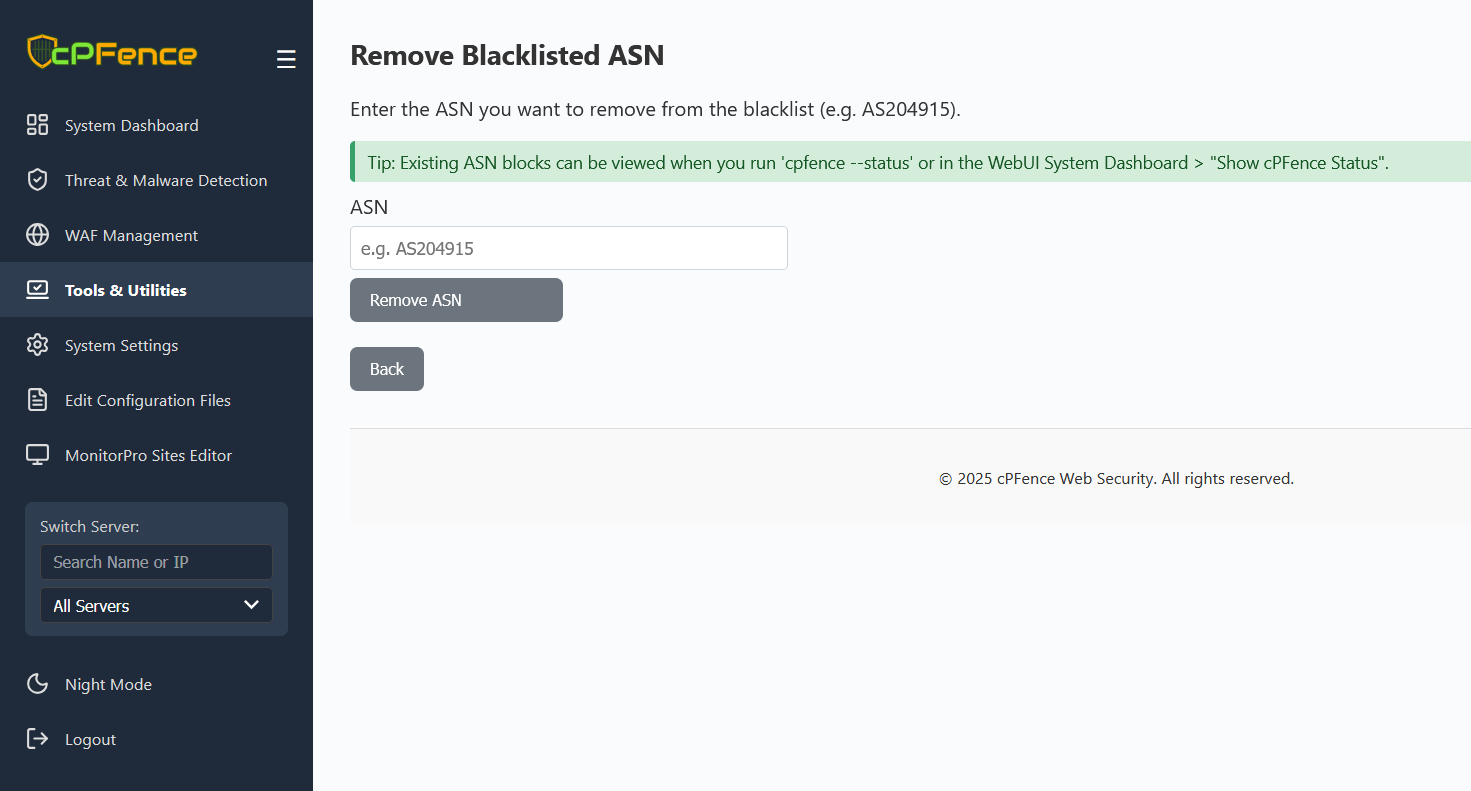
Navigate to Tools & Utilities → Remove Blacklisted ASN. Enter the ASN to unblock and click Remove ASN.
Tip: You can view current blocked ASNs from System Dashboard → Show cPFence Status.
Manage ASN Blocks via CLI
For faster management or automation, you can use these CLI commands:
cpfence --blacklist-asn    # Block an entire ASN range (powerful during large DDoS attacks)
cpfence --remove-asn       # Remove all prefixes blocked for a specific ASN
Example:
cpfence --blacklist-asn AS204915
cpfence --remove-asn AS204915
View Current Blocked ASNs
You can check the list of currently blocked ASNs at any time with CLI or WebUI :
cpfence --status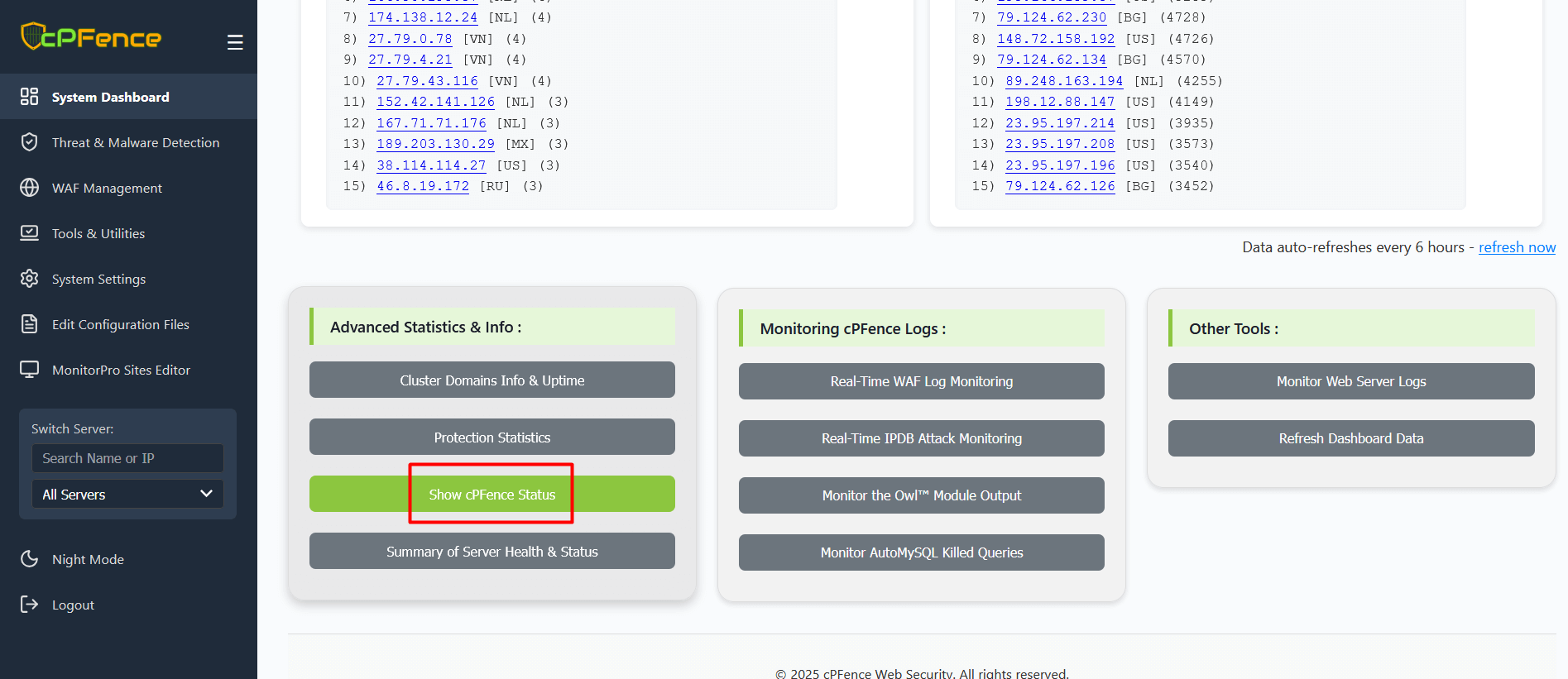
Best Practices
- Block only the ASN actively causing abuse or attacks.
- Remove ASN blocks when the attack subsides to restore normal access.
Need Further Assistance?
If you have questions about ASN blocking , please contact our support team via your client portal.