
This guide explains how to enable LogSpot v2, apply the required WHMCS modification, and access the LogSpot interface.
Step 1: Enable LogSpot v2
You can enable LogSpot v2 either from the CLI or directly from the WebUI.
Using CLI:
cpfence --enable-logspotUsing WebUI:
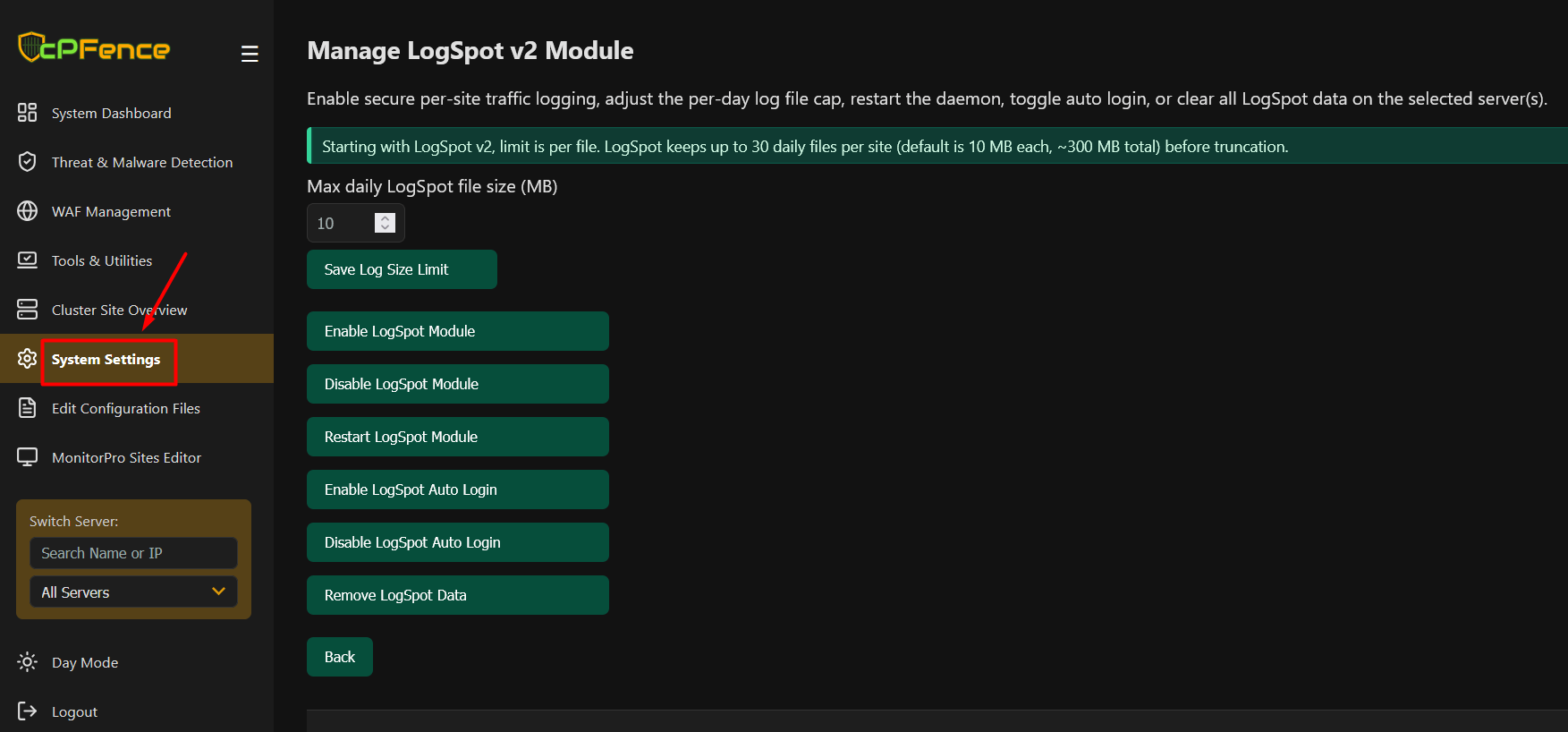
Navigate to WebUI > System Settings > Manage LogSpot v2 Module, then click Enable LogSpot Module. From the same page, you can also adjust the per-day log file size limit, restart the module, enable or disable auto login, and clear LogSpot data.
Step 2: Optional – Enable WHMCS Auto Login
If you want one-click access to LogSpot from WHMCS, enable auto login.
Using CLI:
cpfence --enable-logspot-autologinUsing WebUI:
Go to WebUI > System Settings > Manage LogSpot v2 Module and click Enable LogSpot Auto Login.
Step 3: Apply the WHMCS Modification
Edit the Enhance module file in your WHMCS installation:
/whmcspath/modules/servers/enhance/enhance.phpReplace the existing enhance_ClientArea function with one of the following versions:
- Auto Login version: https://gist.github.com/cPFence/41c32ca43ecd1423ae9ff6d12437af8a
- Without Auto Login: https://gist.github.com/cPFence/06b053c79bad40729f2d7d2609b6f1c9
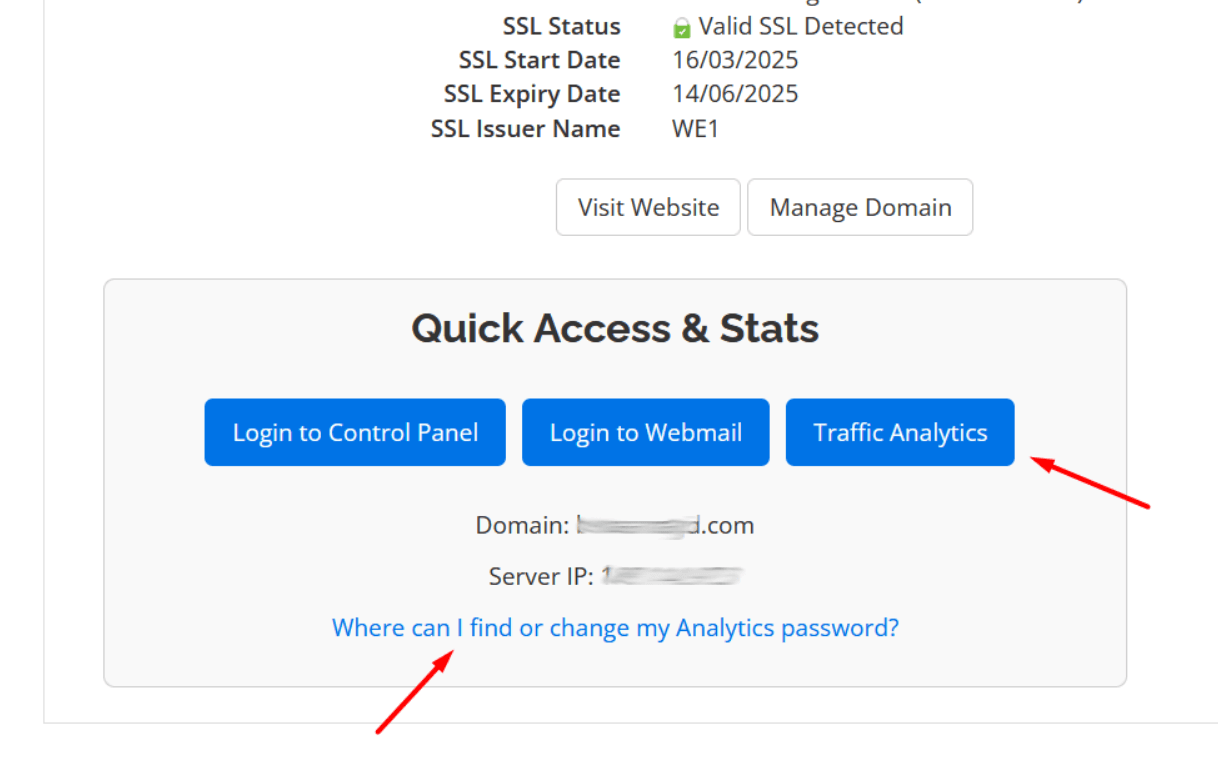
Your clients will instantly see a sleek Traffic Analytics button in their WHMCS dashboard:
Step 4: Access LogSpot v2
Once enabled, LogSpot v2 is accessible at the following URL for all domains on the server :
https://your-domain.com/traffic-reports/How to Disable LogSpot v2
LogSpot v2 can be disabled at any time from the CLI or the WebUI.
Using CLI:
cpfence --disable-logspotUsing WebUI:
Navigate to WebUI > System Settings > Manage LogSpot v2 Module, then click Disable LogSpot Module.
How to Remove All LogSpot v2 Data
If you want to completely remove all LogSpot v2 data from the server, including traffic reports and stored log files for all domains, you can do so from the CLI or the WebUI.
Using CLI:
cpfence --remove-logspot-dataUsing WebUI:
Navigate to WebUI > System Settings > Manage LogSpot v2 Module, then click Remove LogSpot Data. This will permanently delete all LogSpot traffic logs and reports for every domain on the selected server(s).
Need Further Assistance?
Visit our Knowledgebase or contact our support team for help.