
cPFence offers a powerful, browser-based WebUI for managing your Enhance cluster. The WebUI is fully mobile-friendly, allowing you to manage your entire cluster from any device—including your phone or tablet. You can apply bulk actions such as enabling DNSSEC (Domain Name System Security Extensions) across an entire cluster, on a specific server, or just for selected sites—all from one place.
Enable DNSSEC in Bulk (WebUI Method)
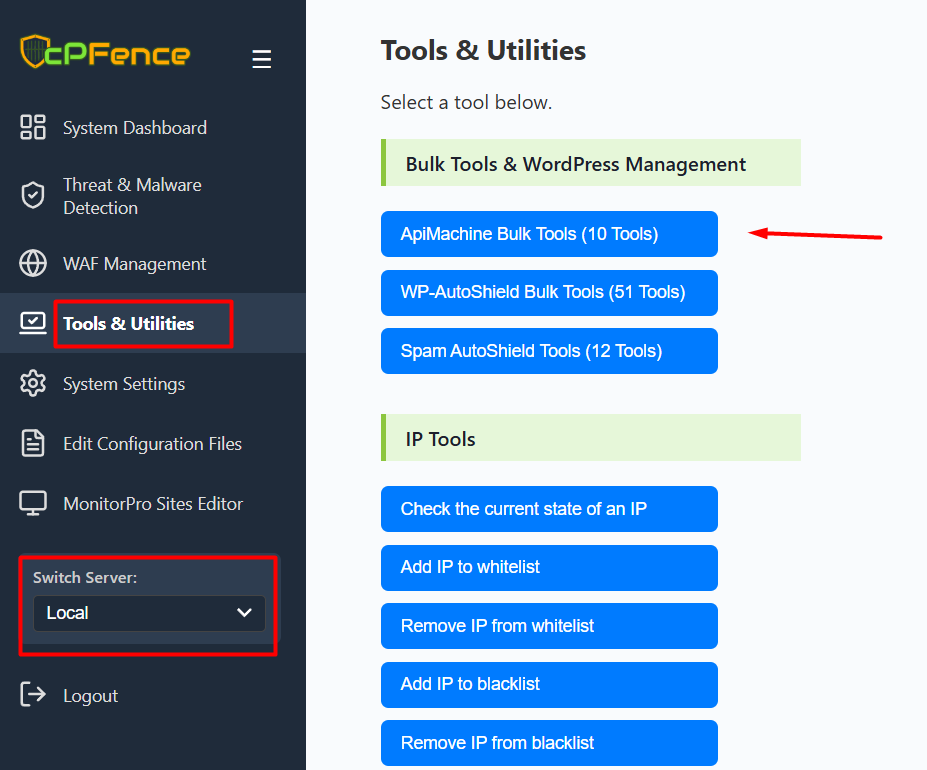
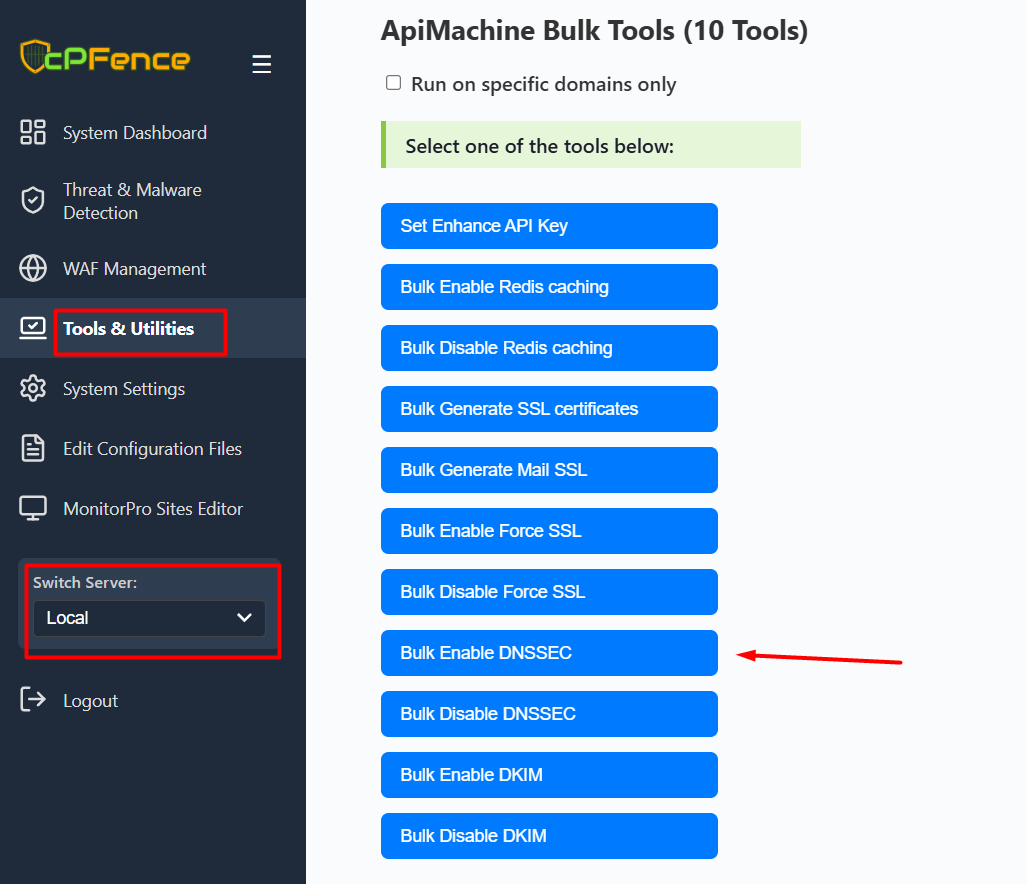
- Open the cPFence WebUI on your Main Control Panel server.
- Use the Switch Server dropdown in the left menu to choose the server you want to manage, or leave it set to Local for the current server.
- Go to Tools & Utilities and select ApiMachine Bulk Tools.
- Click Set Enhance API Key and enter your Enhance API key if required.
- To apply DNSSEC only to certain domains, check the Run on specific domains only box and select the desired sites. Otherwise, leave it unchecked to apply to all domains.
- Click Bulk Enable DNSSEC to activate DNSSEC for your selected domains, server, or cluster. The WebUI will display the required DS records after enabling.
This method allows you to enable DNSSEC on all, some, or individual domains in your Enhance cluster—right from your desktop or mobile browser.
Command Line (CLI) Method
- SSH into your Main Control Panel server.
- To refresh the list of domains, run:
cpfence --generate-cluster-sites-list - Edit
/var/log/cpfenceav/cluster-sites-list.txtto remove any domains you want to exclude from bulk enabling DNSSEC. - Run the following command to start the bulk enable process:
cpfence --bulk-enable-dnssec-cluster - When prompted, type
yesto confirm. The tool will process each domain, show success/failure for each, and output the DS records for successful activations. Copy the DS records to your DNS provider as needed.
Failed domains will be shown in the output along with the reason (for example, missing zone file).
Need Further Assistance?
Visit our Knowledgebase or contact our support team for help.